Shot positioning
Save exact pan, tilt, and zoom values for each camera and each service moment. Sermon wide, pulpit close, worship stage, baptismal, altar — stored and repeatable with one button press.
Automated church live streaming
PTZ Shot Director automates the PTZ camera production layer of your live stream. Save your key shots once, build sequences for predictable service moments, and let volunteers trigger broadcast-quality production on demand — regardless of who's at the desk this week.
Sequence automation
The streaming quality problem
For people watching at home, the camera IS the experience. Shaky, manually-adjusted PTZ shots that drift during the sermon — or cut awkwardly between cameras — create a production that feels unpolished. Churches that stream to hundreds or thousands of at-home viewers need the same shot consistency a broadcast operation provides.
Most churches can't hire a dedicated camera director. PTZ Shot Director bridges that gap. Saved shot positions and automated sequences deliver broadcast-quality production consistency from your existing volunteer team and PTZ cameras.
What it automates
Save exact pan, tilt, and zoom values for each camera and each service moment. Sermon wide, pulpit close, worship stage, baptismal, altar — stored and repeatable with one button press.
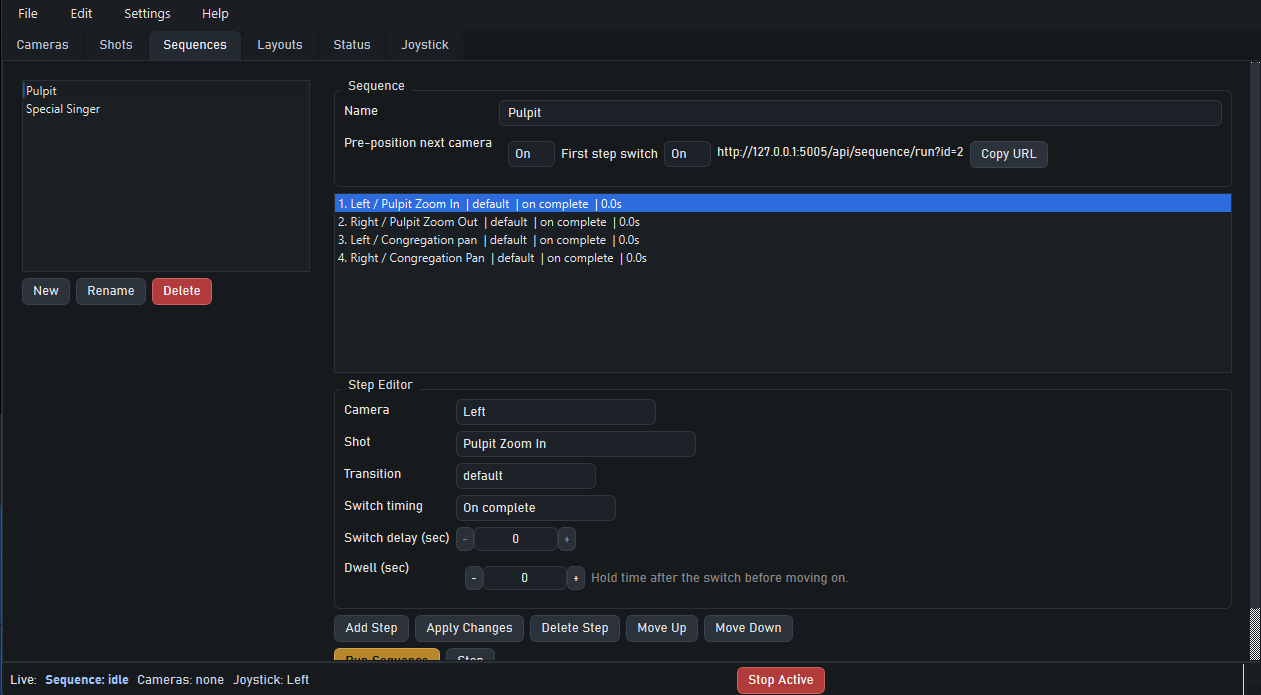
Build timed sequences that coordinate multiple PTZ cameras simultaneously. Set up worship mode, sermon mode, and altar-call moves as single-trigger sequences that your volunteers run.
Sequences trigger scene switches in OBS Studio or vMix at the same time as the camera move — so your volunteer doesn't have to coordinate the two separately during a live service.
Surface your most-used shots and sequences as a custom button wall. Run it on any device on your local network — tablet at the front of house, laptop in the booth, phone in a pinch.
Trigger shots and sequences from a Stream Deck or Bitfocus Companion setup via the local API. Fit PTZ Shot Director into the control surface workflow you already use.
Automation doesn't remove manual control. The joystick dashboard stays available for moments that need live tracking — an unexpected speaker walk, a first-time event layout, altar ministry.
The streaming stack
You don't replace your streaming setup — you add automation on top of it.
The production stack your church already operates still runs everything. PTZ Shot Director adds the automation layer between your cameras and your switcher so volunteers aren't improvising camera moves on camera in a live stream.
Questions
No — it automates your PTZ camera production. OBS Studio or vMix handles streaming to YouTube, Facebook Live, or your platform of choice. PTZ Shot Director manages the camera layer that feeds into your streaming software.
Yes. Sequences coordinate multiple cameras with a single trigger. One volunteer can fire the "worship mode" sequence and have three cameras move into position simultaneously, plus a scene switch in OBS.
PTZ cameras that support VISCA control, including PTZOptics, Sony, Lumens, and many others. VISCA is the standard protocol used by most church-grade PTZ cameras. Check your camera's spec sheet for VISCA support.
A camera's built-in controller fires preset positions but doesn't coordinate multiple cameras, trigger scene switches in OBS or vMix, or provide a web layout your volunteers can trigger from any device. PTZ Shot Director does all of that.
Start today
Download PTZ Shot Director, save your key service shots in a setup session, and run Sunday with automated PTZ production. 30-day free trial — no credit card required. $29.99/month after — cancel any time.