1. Save your shots
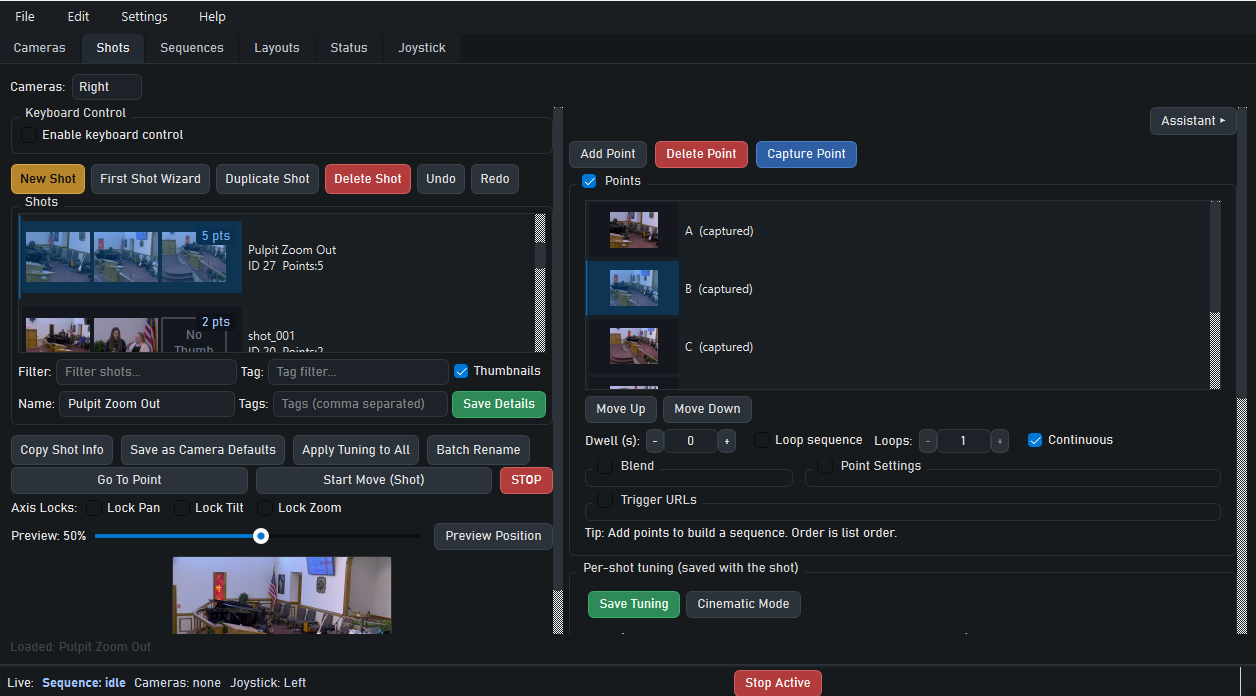
During setup or rehearsal, drive each camera to the positions your service needs — sermon, worship, stage, pulpit, baptismal — and save them. PTZ Shot Director stores the exact pan, tilt, and zoom values.
Church camera automation
PTZ Shot Director turns saved camera positions and repeatable sequences into one-button production. Your Sunday volunteer triggers the same clean PTZ moves week after week — no improvising, no dedicated camera operator.
What automated production looks like
The problem
Most volunteer church camera operators are working from memory — they know roughly where the sermon shot is, but they're adjusting pan, tilt, and zoom by hand every single week. If the pastor moves or the speaker changes position, the shot drifts. The live stream gets shaky framing that distracts viewers at home.
Church camera automation software changes this. Instead of manual control, your team saves exact shots during rehearsal. On Sunday, one button press sends the camera to the perfect position every time — whether it's the sermon wide, the baptismal, or a mid-worship worship-leader close.
How it works
During setup or rehearsal, drive each camera to the positions your service needs — sermon, worship, stage, pulpit, baptismal — and save them. PTZ Shot Director stores the exact pan, tilt, and zoom values.
Chain shots into timed sequences for predictable moments in your service. Set a sequence to automatically switch cameras and trigger OBS or vMix scene transitions in one action.
Your production volunteer hits a button from the live layout. Every camera moves to its saved position in a consistent, repeatable way. Same result every week, regardless of who's running the board.
Who it's built for
Churches with one to four PTZ cameras and a rotating volunteer crew get the most benefit. Automation removes the skill ceiling so any volunteer can run a clean production.
When you add a second or third PTZ camera, manual control gets exponentially harder. PTZ Shot Director scales with you — manage multiple cameras from the same interface without adding operators.
If budget no longer supports a paid camera operator, automation is the bridge. Your volunteers trigger the same quality production the paid operator used to run manually.
Compatibility
PTZ Shot Director is designed to fit into the production workflow your church already runs, not replace it. Keep your switcher, your OBS setup, and your streaming tools — we add the automation layer on top.
Common questions
Yes. Once shots are saved during setup, volunteers trigger them with a single button press from the live layout. There's nothing to improvise on show day — the camera goes exactly where it was programmed to go.
PTZ Shot Director supports multiple cameras simultaneously. You can save shots for each camera and trigger them independently or as coordinated sequences.
No. PTZ Shot Director works alongside your existing OBS Studio or vMix setup. It adds automation to your current production stack rather than replacing it.
VISCA is the standard protocol used by most PTZ cameras, including PTZOptics, Sony, Lumens, and many others. Check your camera's spec sheet — most PTZ cameras used in church production are VISCA-compatible.
Get started
Download PTZ Shot Director, set up your church's saved shots, and run your next service with automated PTZ control. No credit card required for the trial. $29.99/month after — cancel any time.